Google’s attempt to create a new type of laptop to compete with Windows and macOS machines is finally here, combining the best of ChromeOS and Android into the new Googlebook. With advanced links to Android phones and the best of Google built in, can these Googlebooks really compete with a MacBook Air or Surface Laptop? I took two for a spin to find out.
For years, Chromebooks have been the boss of budget laptops, but Googlebooks take a different, far more premium approach. Made by a range of traditional PC makers, including Acer, Asus, Dell, HP and Lenovo, they start at £999 (€1,099/$899/A$2,299) – a far cry from the £160 Chromebooks. While Google does not make these machines directly, it has set strict hardware quality standards that the laptops must reach.
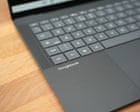
That includes backlit keyboards, haptic trackpads, fingerprint readers, crisp touchscreens, decent speakers and modern fast chips with at least 16GB of RAM. It is a list of specs you should expect with a premium Windows PC, but those start at a much higher price, primarily thanks to RAMageddon. As such, the Acer Googlebook 14 and the Asus Googlebook 14 I’ve been testing have excellent hardware with satisfying keyboards, great trackpads and quality screens.
The Acer is a convertible that allows the screen to fold over the back of the device turning into a tablet of sorts. It is 1.14kg and 13.9mm thick, with a glossy 14in 3K OLED screen and a smooth aluminium-magnesium body, costing £999.99. The Asus is a traditional laptop with a matt 14in 3K OLED screen and a magnesium-alloy body that weighs just 0.99kg and is 11mm thick, costing £1,199.99.
Top quality hardware aside, anyone familiar with a Chromebook would be forgiven for thinking it was ChromeOS running on these machines. It has the familiar taskbar at the bottom, Chrome-based web apps and access to Android apps. But the software is essentially Android underneath, which means getting it up and running is just like setting up an Android phone: scan the QR code with your phone, enter a passcode and transfer your apps and accounts.
It is all done and dusted in about four minutes, which is faster than setting up a modern Windows 11 machine even if you know all the shortcuts. Access to the full gamut of Android apps is the Googlebook’s biggest strength and its greatest weakness. Practically any app you have on your phone can be installed and run on the laptop.
Extract — continue reading at the source.